
Transaction Testing
To facilitate your verification of different payment result processing flows in the test environment, Checus provides simulated payment capabilities and test case support.
Specific test processes and rules will vary depending on your integration method (such as checkout, API, etc.) and the type of selected payment method. Please refer to the corresponding instructions for testing based on your actual integration scenario. 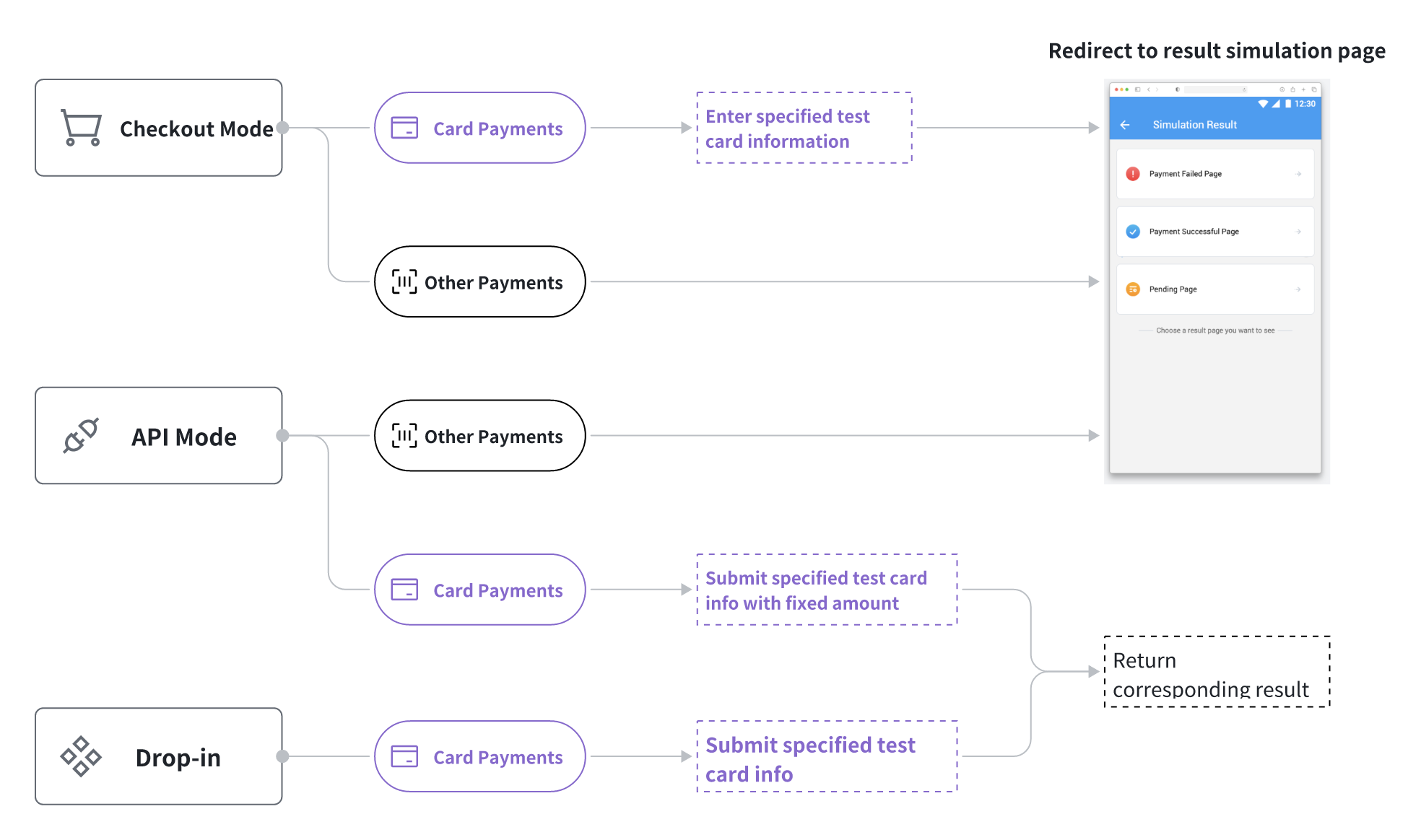
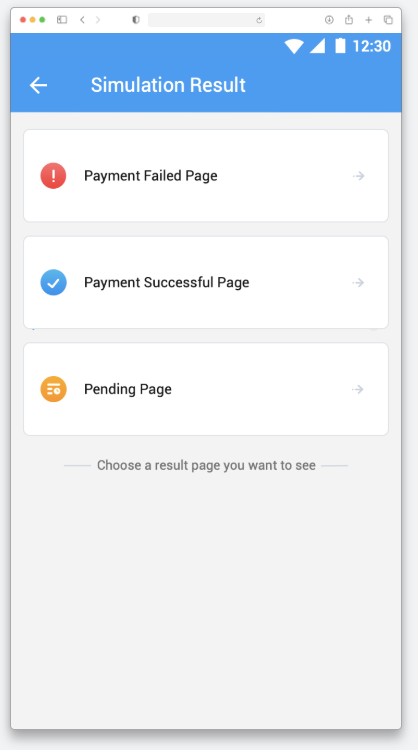
Result Simulation Page
- Payment Success: Display success page and trigger server-side success callback;
- Payment Failure: Display failure page, trigger failure callback after clicking "Close";
- Payment Processing: Display processing page, no callback triggered.
Designated Test Card Information
When testing card payment flows in all modes, please use the test card information provided by Checus.
| Card Organization | Country | Card Number | Name | Expiry (MM/YY) | CVV |
|---|---|---|---|---|---|
| Visa | Universal | 4444333322221111 | James Smith | 12/33 | 123 |
| Master | Universal | 5555555555554444 | Allen Black | 11/26 | 357 |
| Mir | Russia | 2200000000000004 | Anna Ivanova | 12/36 | 234 |
| Visa | Kazakhstan | 4003075252881173 | Olivia Thompson | 12/30 | 303 |
| Master | Kazakhstan | 5167301901150490 | Ethan Martinez | 10/32 | 708 |
| Uzcard | Uzbekistan | 8600557399028865 | Sophia Wilson | 03/33 | 443 |
| Humocard | Uzbekistan | 9860127687192063 | Liam Patel | 11/33 | 635 |
| BELKART | Russia | 9112135367990157 | Meroy Foster | 07/30 | 533 |
| JCB | Russia | 3564963113045810023 | Alva Copperfield | 11/29 | 195 |
Fixed Amount Limits
When testing API Mode - Card Payments, please refer to the table below to set specific transaction amounts to simulate different payment results. Ensure the set amount is within the limit range of the selected payment method.
| Simulation Type | Transaction Amount Setting (Local Currency) | Simulation Behavior Description |
|---|---|---|
| Success | Any amount except the following amounts | Directly return payment success status |
| Failure | Fixed amounts: 15, 500, 1.12, 20000, 25000 | Return payment failure status |
| Payment Processing | Fixed amounts: 6, 60, 600, 16000 | Return payment processing status (no callback) |
| 3DS Simulation Authentication | Fixed amount: 222, 2222 | Enter 3DS page success → payment success/failure → payment failure |
Test Case Downloads
After completing product integration, it is recommended to use the following test cases to verify interface functionality and payment flow logic:


